Progma’s brand usage guidelines
We love seeing what teachers and schools create with Progma. Here you’ll find logos, product shots, and simple guidelines for featuring Progma in your materials, presentations, or stories.
Essentials
Start with the full colored logo for most materials. Use the symbol on its own where space is limited or Progma is already identified nearby. Download the supplied artwork and keep its original proportions.
Full logo








Spacing and sizing
Give the full logo and symbol at least half their height of clear space on every side. Keep text, other logos, and the edge of your layout outside this area. Measure height from the supplied artwork, including its canvas.
Full logo
H is the height of the supplied artwork. Keep at least half this height clear on every side.
Symbol
H is the height of the supplied artwork. Keep at least half this height clear on every side.
Minimum size
Keep the full logo and symbol at least 24px high in digital materials or 6mm high in print. Use a larger size when the viewing distance or background makes the artwork harder to read.
Full logo
Digital: 24px high. Print: 6mm high.

 Digital · 24pxPrint · 6mm
Symbol
Digital: 24px high. Print: 6mm high.

 Digital · 24pxPrint · 6mm
Colors and backgrounds
Use the approved blue gradients or the supplied black and white variants. Choose a simple background that gives every part of the logo clear contrast. On photographs, use an uncluttered area or a solid panel behind the artwork.
For light backgrounds
Preserve the supplied blue gradient. These are its approved color stops.
For dark backgrounds
Preserve the supplied blue gradient. These are its approved color stops.
Light background
Use the colored symbol with a dark wordmark on a simple light background.
Dark background
Use the approved lighter symbol and white wordmark on a simple dark background.
Name and typography
Write Progma with a capital P, as one word. Use Interfor accompanying marketing text and the supplied artwork for the wordmark.
The name
Never “ProGma”, “PROGMA”, or “Progma.app” as a name.
Progma
Inter
Keep accompanying text readable. Your text’s typeface does not replace the outlined logo artwork.
Aa Bb Cc
Schools and partnerships
Schools may show their identity beside Progma to identify the platform they use. Preserve both logos, give each its required clear space, and balance their visual prominence.
Pair full logos
Balance visual prominence and keep each logo’s clear space. The school identity here is an example.
Describe the relationship accurately
A school may identify Progma as the platform it uses. Official partnership or endorsement claims require approval.
Course activities on Progma
Incorrect usage
Don’t stretch
Preserve the original proportions.
Don’t rotate
Keep the logo upright and in its original orientation.
Don’t add effects
Keep the supplied artwork free of shadows, outlines, and other effects.
Don’t use low contrast
Choose a background that keeps every part of the logo clearly visible.


Don’t use other typefaces
Never retype the wordmark in another typeface. Use the supplied outlined artwork.
Don’t create logo combinations
Don’t connect the wordmark to other words or create your own logo combinations. Keep your school’s identity separate.
Don’t resize or reposition elements
Keep the symbol and wordmark at their supplied relative sizes and positions within the full logo.
Don’t recolor
Use an approved color or monochrome variant. Don’t apply your own colors to the logo.
Product shots
Use these Progma product shots in press releases, school announcements, presentations, and blog articles. All screens show sample data.
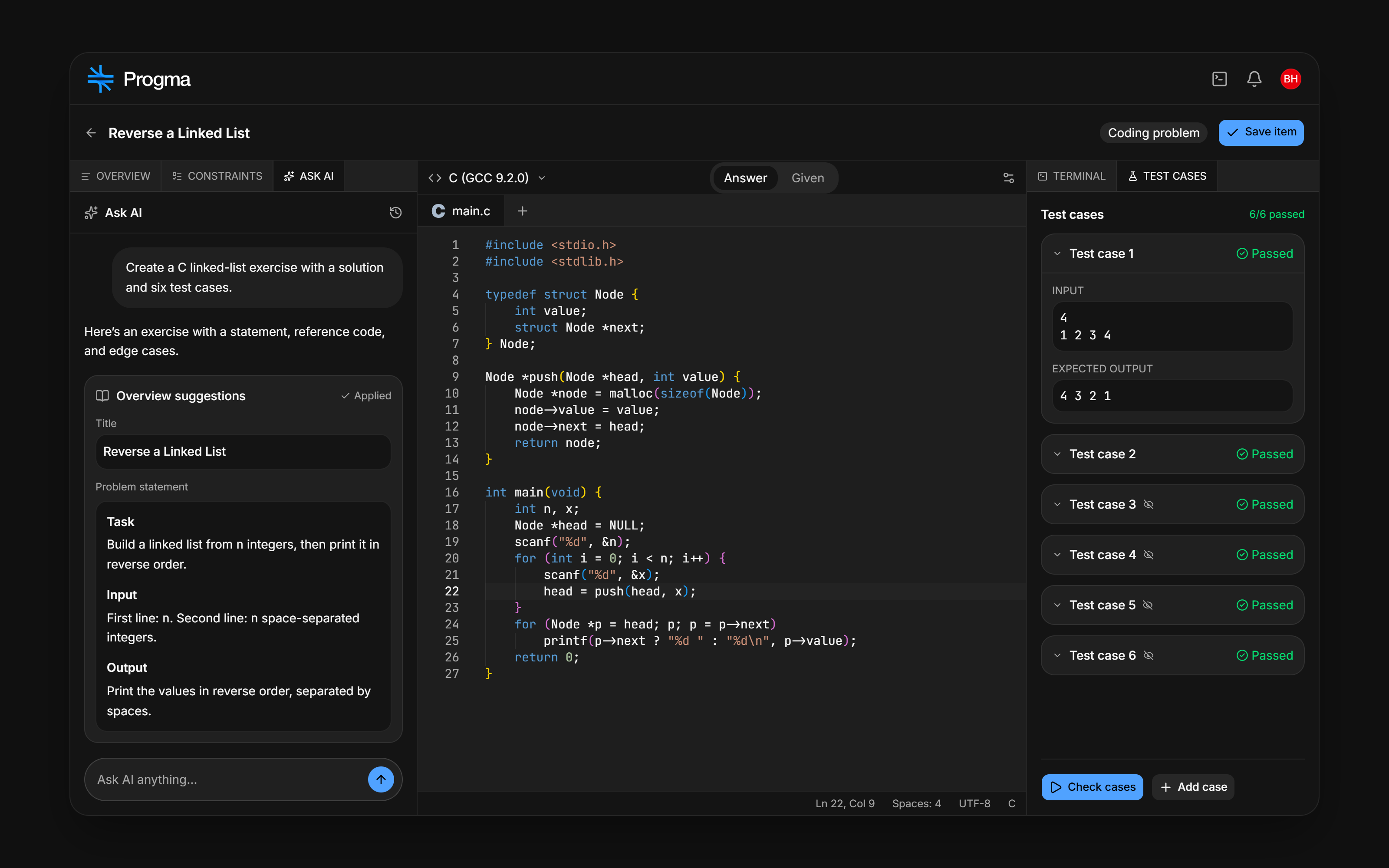
AI item builder
AI chat, a problem statement, reference code, and test cases. Sample data.

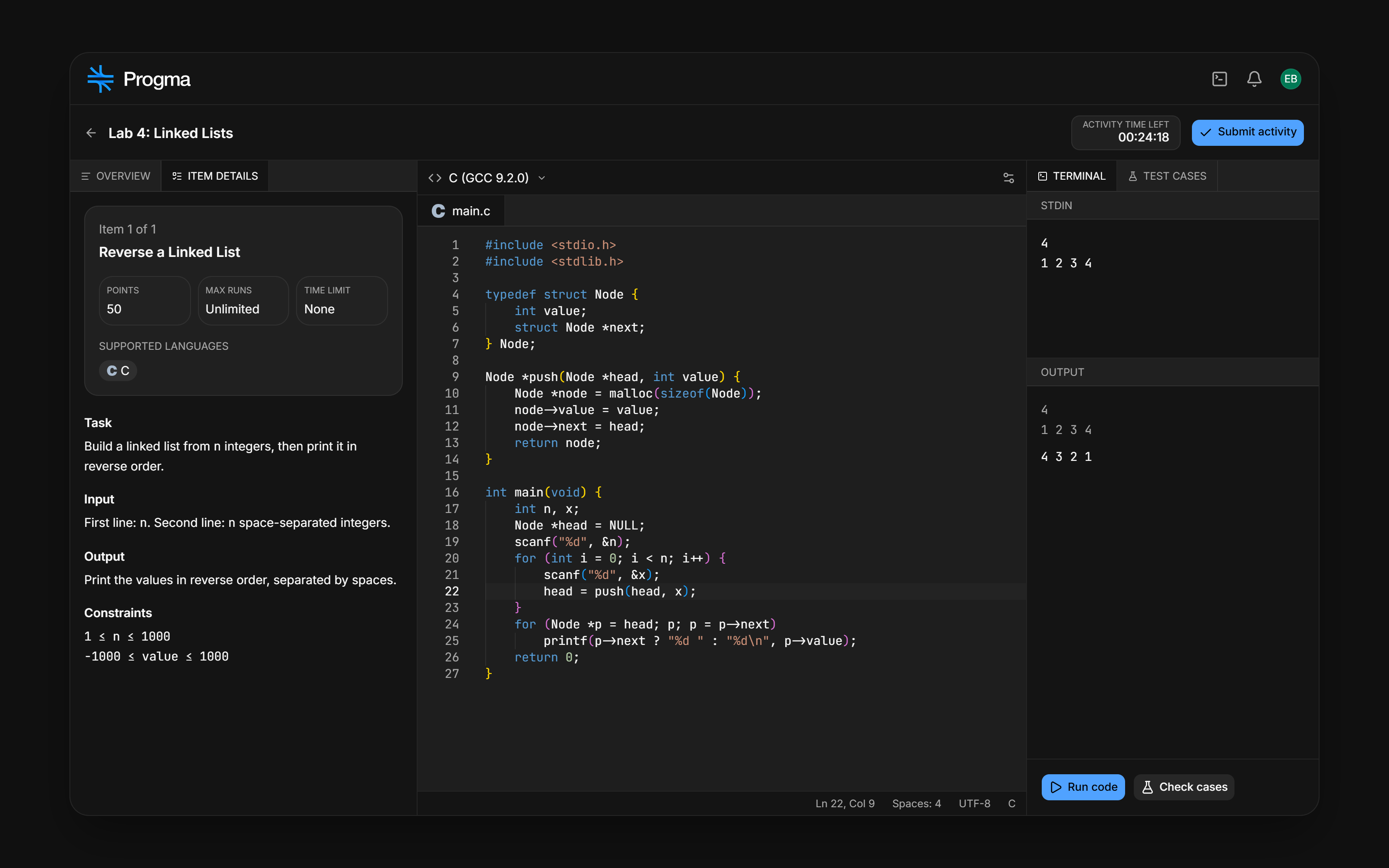
Student coding workspace
Instructions, code, and execution results in one workspace. Sample data.

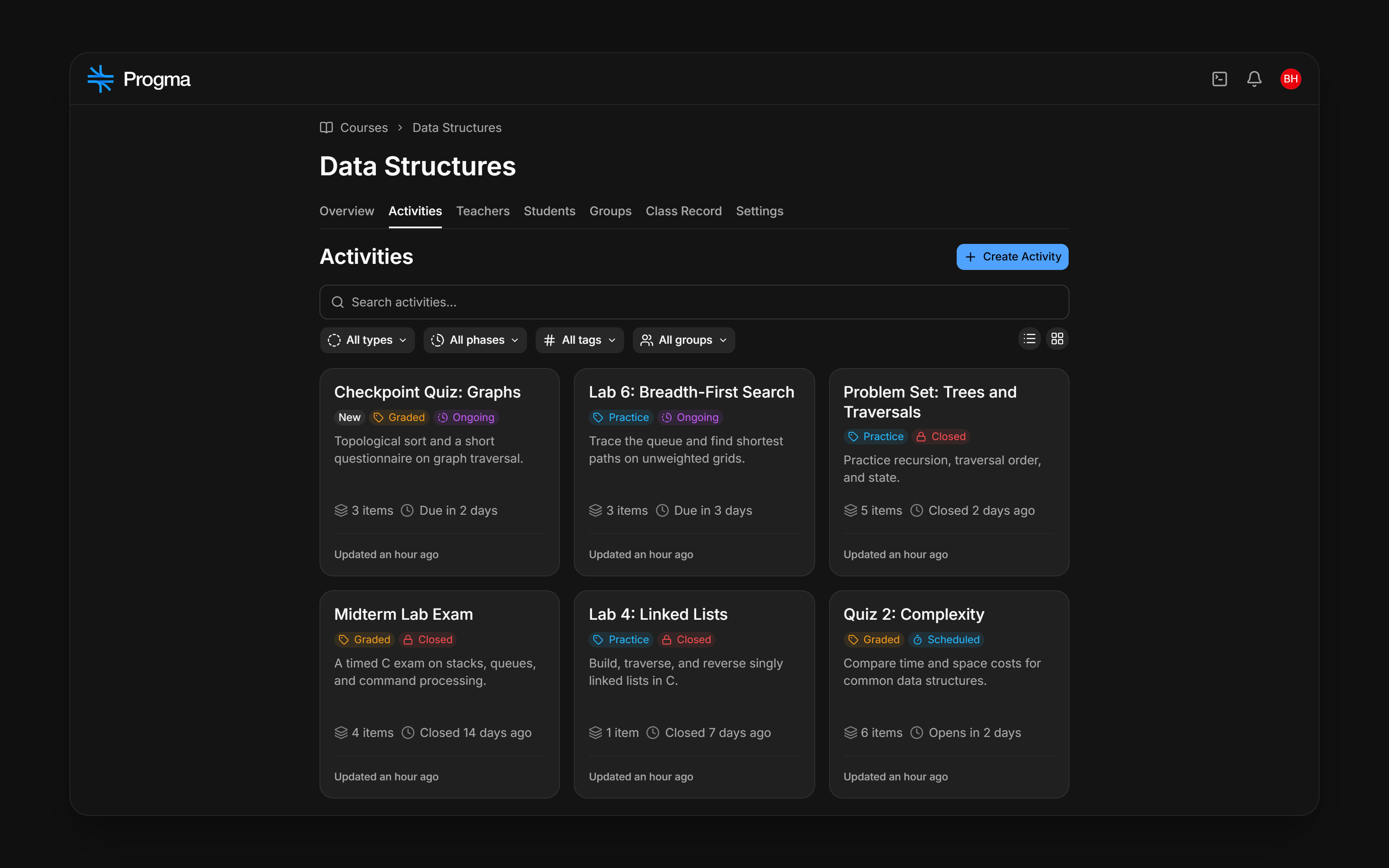
Course and activities
A programming course with its practice and graded activities. Sample data.

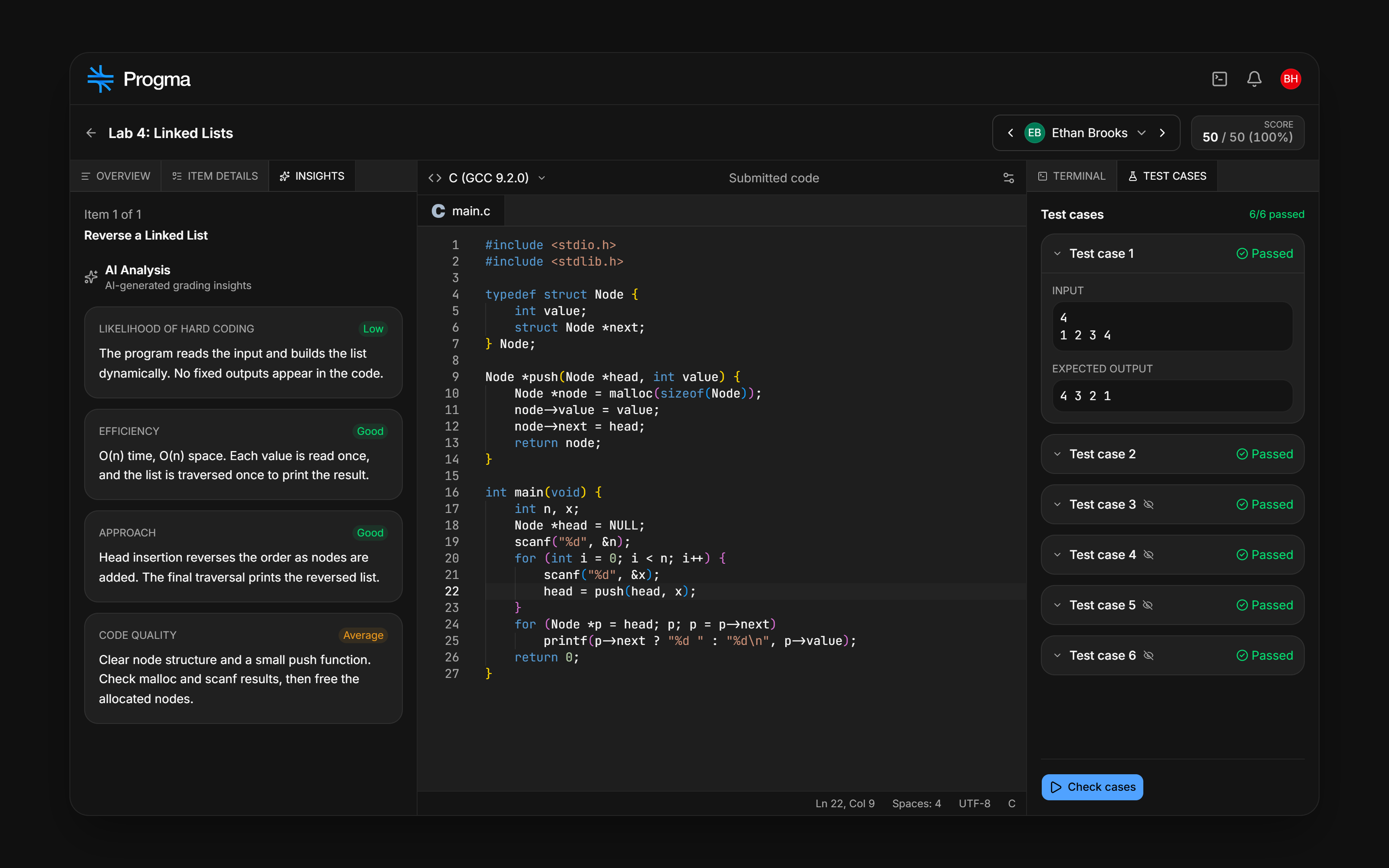
Submission review
Submitted code, scores, test results, and AI insights together. Sample data.

Permissions and contact
You may use the supplied assets without asking first in accurate press coverage, presentations, school websites, announcements, and educational materials that refer to Progma. Follow the guidelines on this page.
When to contact us
Ask for approval for official partnership branding, sponsorship or endorsement claims, and joint promotional campaigns. Contact us for questions or other file formats.